Amazon Q Log Viewer
A VS Code extension that reads and displays Amazon Q chat session logs into a browsable, filterable UI — making it easy to inspect requests, responses, tool calls, and errors.

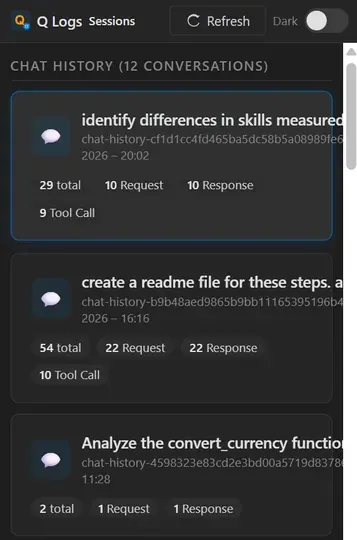
A tiny debug logs viewer for Amazon Q inside Visual Studio Code.
It shows what’s usually hidden — requests, responses, tool calls, errors, and even the underlying LLM interactions — so you can see what the AI is actually doing.
Built it because GitHub Copilot has this (Debug View)… and Amazon Q didn’t. Made debugging and demos unnecessarily painful.
It’s delightful because it turns a black box into something you can poke at. Click → inspect → “ohhh, that’s what the model saw.”
Dive into your Amazon Q chat session logs with a slick VS Code extension that turns messy files into a neat, searchable, and filterable playground for inspecting requests, responses, tool calls, and errors in style!
Key features:
- 🔥 Browse chat and log sessions in a card-based overview
- ⚡ Filter entries by categories and free-text search
- 🎯 View detailed request, response, and tool call info in popups
- 🌙 Toggle between light and dark themes with virtual scrolling for huge logs
This summary was generated by GitHub Copilot based on the project README.