atref
Claude Code's @ file picker, everywhere - fuzzy-find any file and drop an @"path" into any text field.

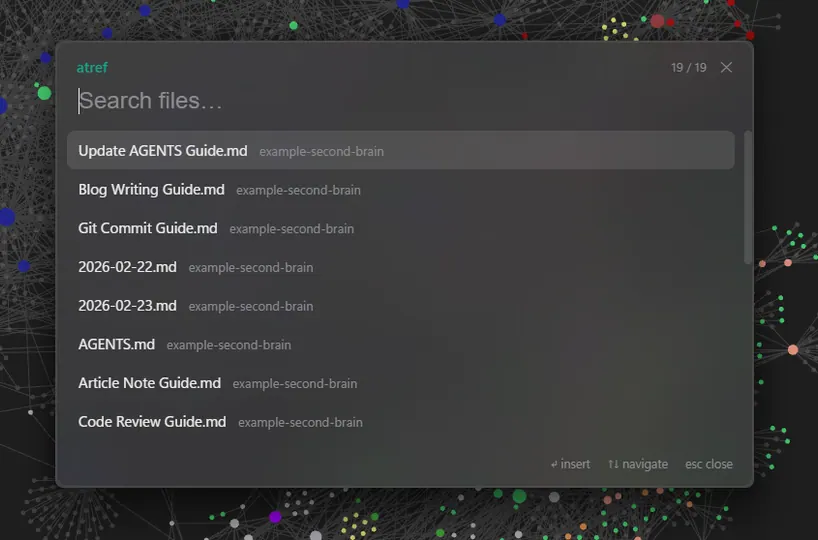
atref puts Claude Code’s @ file picker in every text field on Windows. Press Ctrl+Space over any app (terminal, browser, Obsidian, your IDE) and a fuzzy picker pops up at the caret; type a few letters (it handles CamelHumps, so gcg finds “Git Commit Guide”, plus smart-case), hit Enter, and it drops an @"" reference right where you were typing.
I built it because I keep a curated “second brain” of guides and kept wanting to hand them to coding agents like Claude Code and Codex from other repos - copying file paths out of VS Code got old. It’s a single small Rust tray app: git-aware multi-folder indexing (follows .gitignore), frecency ranking, a live file-watcher, and an on-disk cache so it opens instantly. It even doubles as a config CLI (atref describe) so an agent can set it up for you.
The delightful part: one keystroke, the full path lands, and the agent reads the whole file in one shot - no listing, no grepping.
Instantly summon a smart file picker anywhere on Windows to fuzzy-find and drop absolute file paths into your text fields—perfect for coders, writers, and multitaskers who love speed and precision without leaving their keyboard!
Key features:
- 🔥 Global hotkey summon from any app
- ⚡ Fuzzy + frecency-ranked file search
- 🎯 Inline insertion of absolute file paths at the caret
- 🖼️ Rich previews with thumbnails and token cost estimates
This summary was generated by GitHub Copilot based on the project README.