AudioSwitcher
A tiny, fast Windows CLI to list and switch your default audio devices — from the terminal.

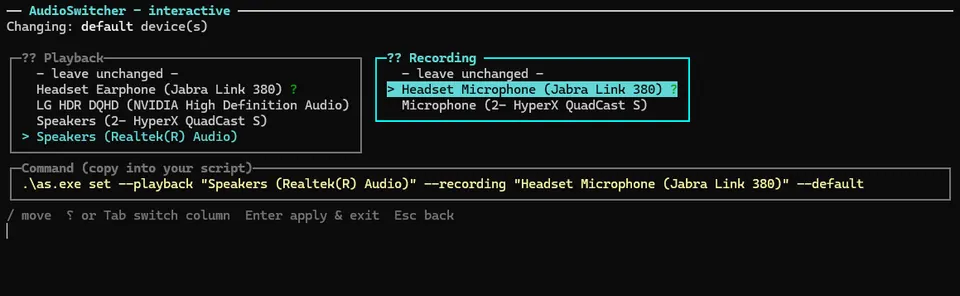
AudioSwitcher is a single native ~3 MB executable for Windows that lets you list, set, and toggle default playback and recording devices straight from the command line. It supports full name, partial name, or device ID matching, and can target both the multimedia Default and Communications device slots. An interactive TUI picker helps you discover devices and build commands to use in scripts or hotkeys. No .NET runtime required — just drop as.exe on your PATH and go.
Wave goodbye to tedious audio settings! This tiny command-line wizard lets you list and switch your default playback and recording devices on Windows in a flash—no clicking, just pure terminal magic.
Key features:
- 🔊 List all active playback and recording devices with defaults clearly marked
- ⚡ Switch default devices by full, partial, or ID name case-insensitively
- 🔁 Toggle between two devices with a single command for quick audio flips
- 📦 Single tiny native binary with zero .NET runtime dependency
This summary was generated by GitHub Copilot based on the project README.