DHCP Flipswitch
Windows tray app that flips a network adapter between DHCP and a saved static IP in one click

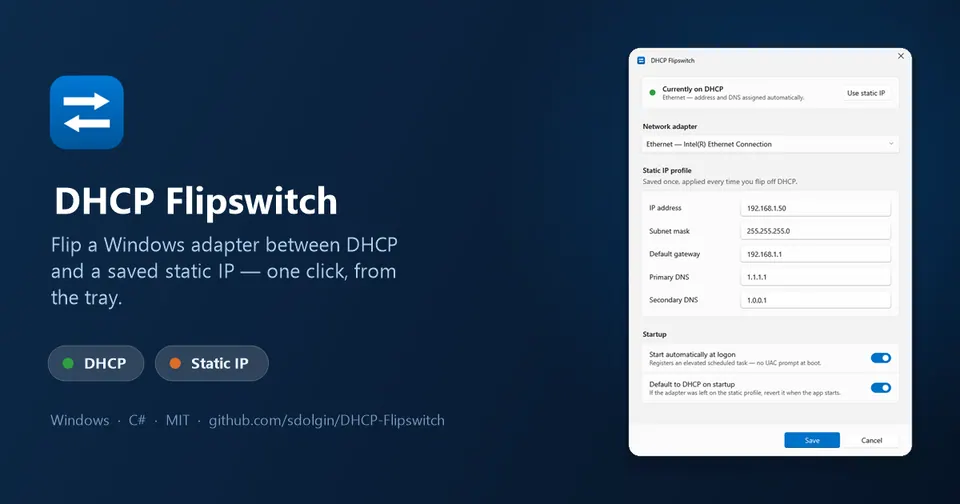
DHCP Flipswitch sits in the system tray and switches one network adapter between DHCP and a saved static IPv4 profile — address, subnet mask, gateway, primary and secondary DNS — with a single left-click.
Windows makes you retype the entire static configuration every single time you switch, then click through several panes to get back to automatic. I built it because I was doing exactly that over and over to route traffic through a local gateway, and it turns out to be just as handy for reaching lab gear, cameras, printers, or anything else pinned to a fixed subnet.
The delightful part is that the tray icon just tells you the truth at a glance: a green D for DHCP, an orange S for static. It reads the adapter’s real state from the registry instead of parsing netsh output, so it works on non-English Windows, and it re-checks every 10 seconds in case you changed something in the Windows Settings app behind its back. It also defaults back to DHCP on startup, so a machine never gets stranded on a static profile you forgot about.
Tiny, focused, IPv4 only, one adapter, one profile. Settings UI is WPF with Fluent styling and follows your light/dark theme.