GridWiggle
Create a great-looking photo collage in seconds

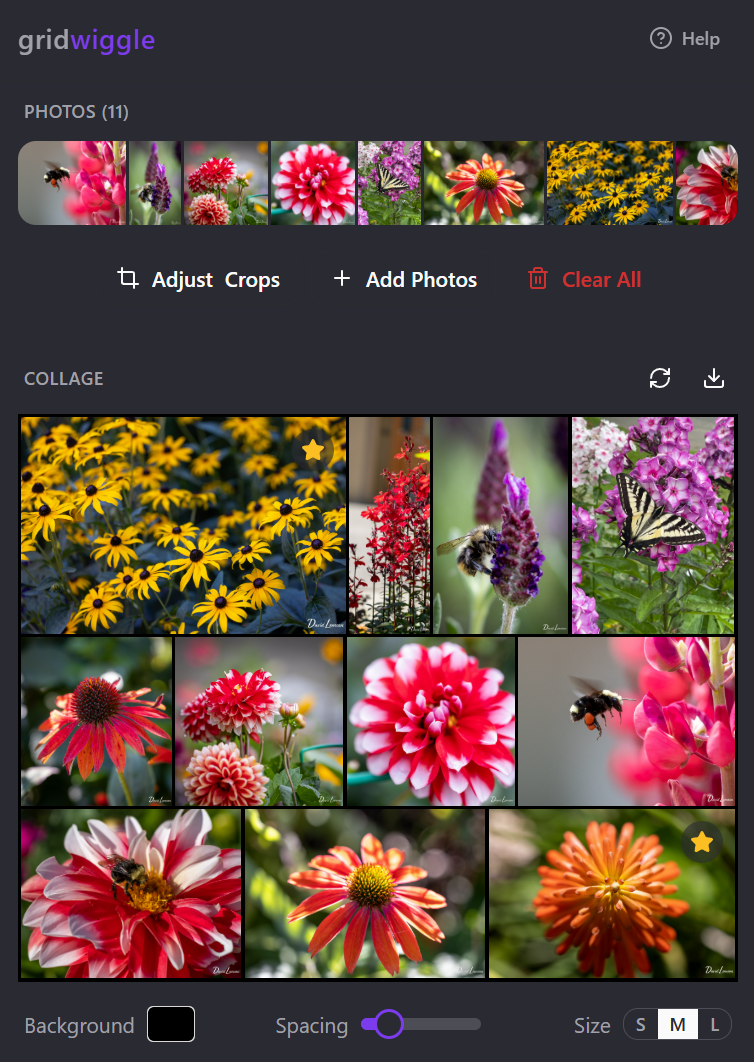
GridWiggle makes it super easy to create great-looking photo collages on mobile or desktop - just upload as many photos as you want and click shuffle to see different layout options. Photos with people in them are auto-cropped, but you can manually edit the crop on any photo you want. Mark one or two photos as “hero” to have them be larger in the layout. Save it as a PNG.
I made this app because it drives me nuts to use any other photo collage app on the market that I’ve tried, because they try to get me to pay a subscription fee to get access to stickers and different templates, or they require soooooo much manual futzing around to get photos cropped and laid out in a clean grid without any big gaps.
Drop in your photos and watch them magically arrange themselves into a gorgeous grid collage — with AI that smartly crops around faces and lets you mark hero shots for that perfect visual hierarchy.
Key features:
- 🎨 Constraint-based auto-layout creates balanced beautiful grids with zero manual arranging
- 🌟 Mark hero photos for visual prominence with smart area-based sizing
- 🧠 AI detects people and faces to crop intelligently without cutting off heads
- 🔀 Instant shuffle regenerates layouts until you find the perfect one
This summary was generated by GitHub Copilot based on the project README.