lazyazure
The lazy way of viewing your Azure resources. TUI for drilling down into Azure subscriptions, resource groups and resources.

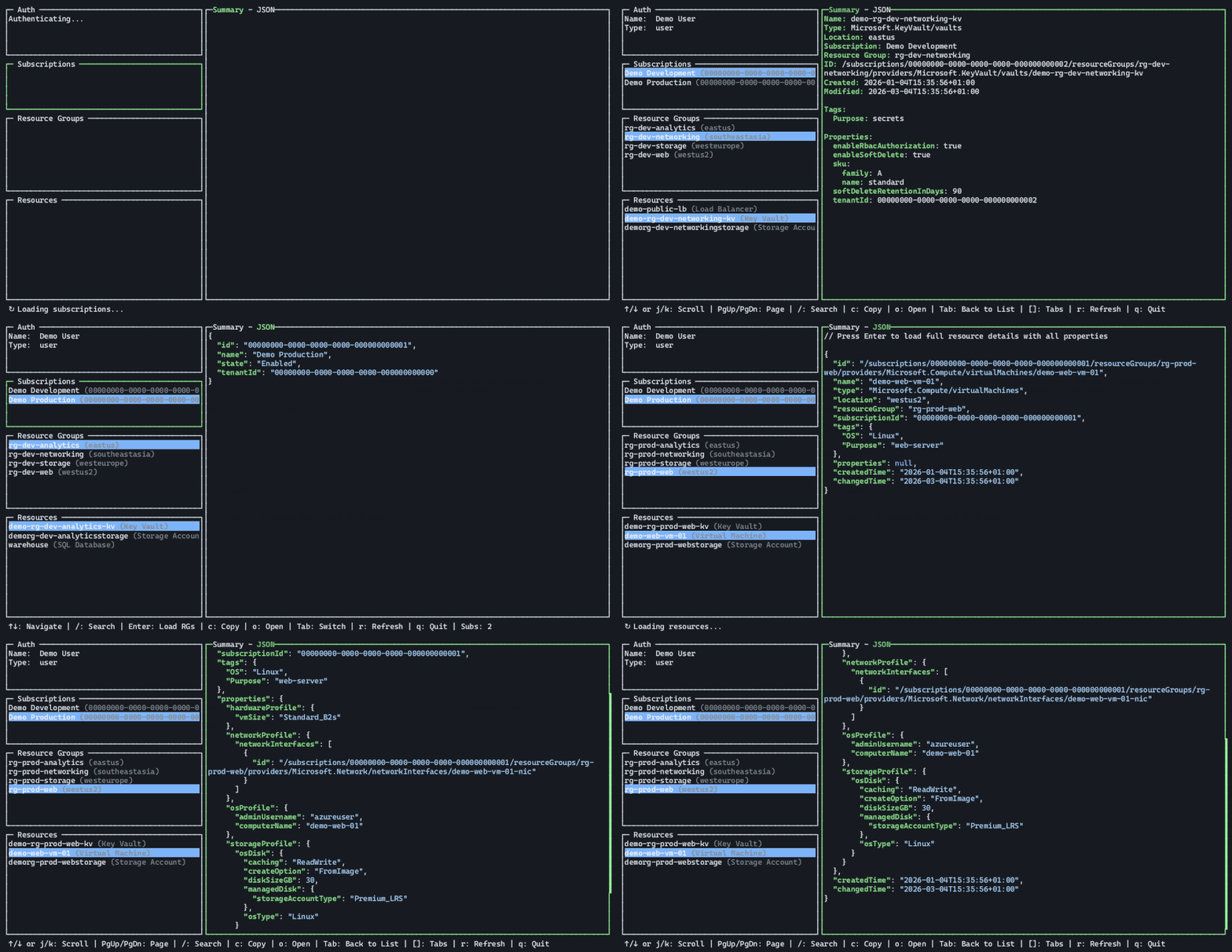
Inspired by lazydocker I made a TUI for quickly browsing through the Azure resource hierarchy from the terminal.
It’s quick, simple, re-uses your existing auth (e.g. Azure CLI or Azure PowerShell) and also features a copy portal url to clipboard-feature to go from terminal to portal when it’s needed. Written in Go.
It’s built as a exercise to learn more about building a TUI for my part and to have something that’s useful when working a lot in the terminal (e.g. with a coding agent) instead of constantly navigating through the Azure Portal.
Dive into your Azure resources with this slick terminal UI that makes browsing subscriptions, resource groups, and resources as easy as pie — all without leaving your keyboard! It’s like having a magic portal to Azure that fits right in your terminal window.
Key features:
- 🔥 Full resource hierarchy navigation from subscriptions to resources
- ⚡ Multiple authentication methods including Azure CLI and managed identities
- 🎯 Rich detail views with color-coded summaries and syntax-highlighted JSON
- 🖱️ Keyboard and mouse support with real-time search and portal link integration
This summary was generated by GitHub Copilot based on the project README.