List - Advanced Terminal File Viewer
Cross platform terminal list command with colourisation, hex-mode, ebcdic mode

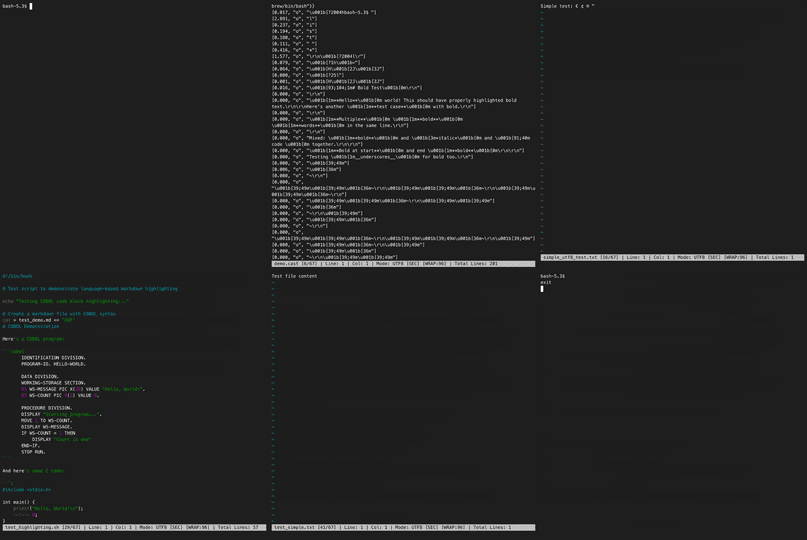
This tiny tool was inspired by a long-lost MS-DOS utility.
Named ‘list’, its primary purpose is to display file contents with color coding and paging. It allows users to toggle between ASCII and EBCDIC modes (for mainframe files), as well as a hex mode for binary files.
It also provides syntax highlighting for a wide range of formats, including C, C++, C#, Java, COBOL, Python, Bash, PowerShell, PL/I, JCL, Dockerfile, Batch, SQL, Markdown, JSON, and XML.
Unique features: Full support for Windows Terminal resizing and a ‘VI-style’ command interface.
Peek into your files like a coding ninja with this terminal viewer that’s bursting with syntax colors, hex mode, and built-in security scans that spot sneaky Unicode trickery — all wrapped up in a sleek, cross-platform package!
Key features:
- 🖥️ Interactive vi-style navigation with multi-file support
- 🎨 Syntax highlighting for 18+ languages with smart word wrapping
- 🔍 Real-time security scans for malicious Unicode and homograph attacks
- 🔐 Hex dump and EBCDIC modes for deep file inspection
This summary was generated by GitHub Copilot based on the project README.