Markdown Editor
his Markdown Editor provides a simple yet powerful environment for Markdown writing. With live preview, file management, and a clean UI, it’s ideal for developers, writers, and anyone who prefers Markdown for documentation.

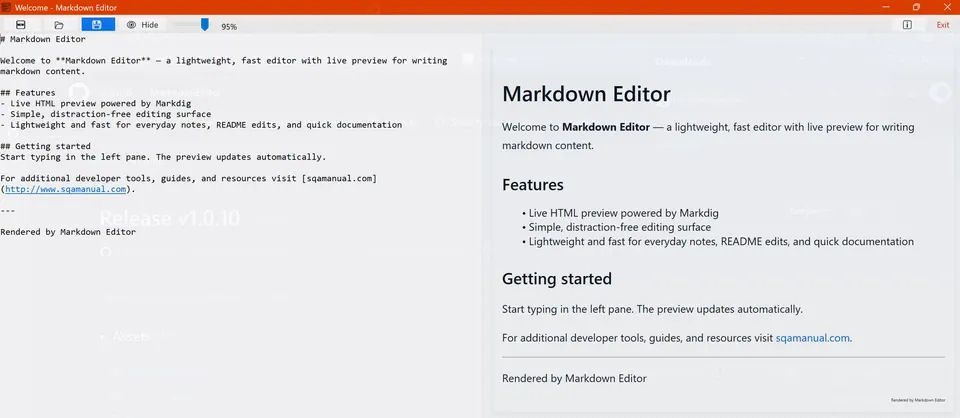
Overview Markdown Editor is a lightweight, fast, and distraction‑free editor built with Windows Forms. It allows users to write Markdown content with a live HTML preview powered by the Markdig library. The editor is designed for everyday notes, README edits, and quick documentation.
✨ Features 🔖 Core Editing Rich text box for writing Markdown.
Syntax‑agnostic editing surface with clean UI
Automatic handling of indentation to prevent accidental code block rendering.
🌐 Live Preview Real‑time HTML preview using Markdig’s advanced extensions.
Write Markdown like a pro with this sleek, distraction-free editor that gives you live HTML previews and smart file management, perfect for devs and writers who want their docs to shine effortlessly!
Key features:
- 🔥 Real-time HTML preview with stylish formatting
- ⚡ Smart file management with save prompts and templates
- 🎯 Clean, customizable UI with adjustable transparency
- 💾 Handy keyboard shortcuts for lightning-fast editing
This summary was generated by GitHub Copilot based on the project README.