PS TextMate
PowerShell module to render with TextMate grammar in the console using Spectre.Console

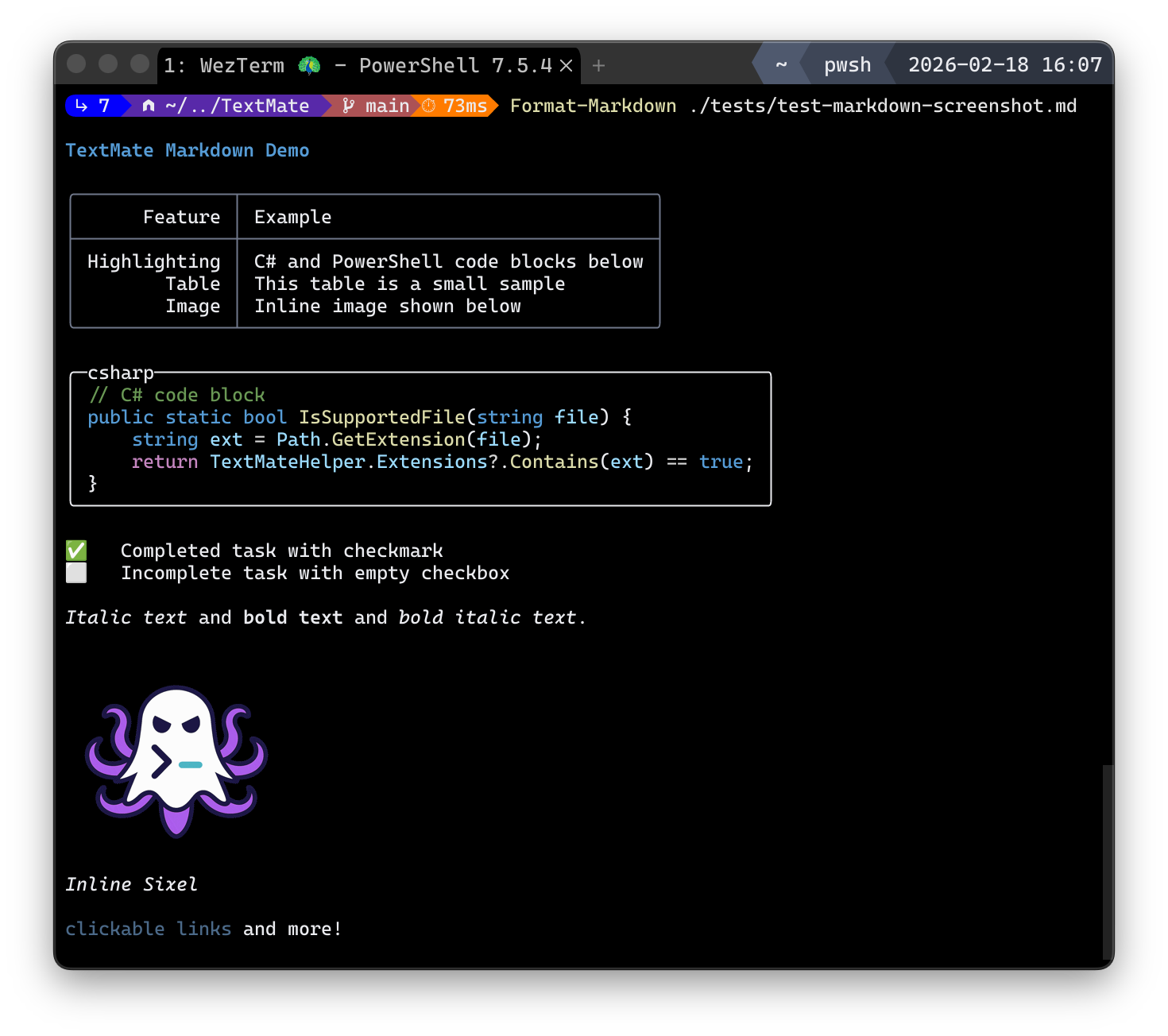
TextMate delivers syntax-aware highlighting for PowerShell on top of TextMate grammars. It exposes a focused set of cmdlets that emit tokenized, theme-styled HighlightedText renderables you can write directly or feed into any Spectre-based pipeline. Helper cmdlets make it easy to discover grammars and validate support for files, extensions, or language IDs before formatting.
What it does
- Highlights source text using TextMate grammars such as PowerShell, C#, Markdown, and Python.
- Builtin pager, either through -Page or piping to Out-Page
- Returns HighlightedText renderables that implement Spectre.Console’s contract, so they can be written directly or through other Spectre hosts.
- Provides discovery and testing helpers for installed grammars, extensions, or language IDs.
- Sixel images in markdown.
Install
Install-Module TextMateExamples
# highlight a C# snippet
"public class C { void M() {} }" | Format-CSharp

# render a Markdown file with a theme
Get-Content README.md -Raw | Format-Markdown -Theme SolarizedLight

# FileInfo Object
Get-Item .\script.ps1 | Format-TextMate -PageBrighten up your console with syntax-highlighted code that pops using TextMate grammars, making your scripts and docs a joy to read right where you work! It’s like having a mini code editor inside your PowerShell terminal.
Key features:
- 🔥 Syntax-aware highlighting for multiple languages like PowerShell C# Markdown and Python
- ⚡ Returns Spectre.Console-compatible HighlightedText renderables for seamless integration
- 🎯 Builtin pager for smooth scrolling of long outputs
- 🚀 Handy cmdlets to discover and test installed grammars/extensions
This summary was generated by GitHub Copilot based on the project README.