See Through Windows
This tools makes the current window transparent using a configurable hotkey

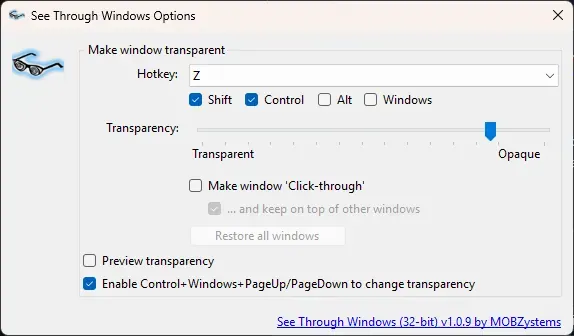
Sometimes you need to switch back and forth between windows to copy some information - i.e. from a scan to a form, as I found myself doing regularly. Then it would come in handy to “peek through” the current window. Or maybe you want to trace over an image, or you need an overlay of one window on top of another.
Enter See Through Windows (see-through windows, get it? ;-)) It lives in the task bar and allows you to configure a hotkey (by default Shift+Ctrl+Z) to make the current window transparent. Then press Ctrl+Win+PgUp/PgDn to adjust the transparency. Press the hotkey again to restore the window to its previous state.
I wrote this tool for my own use (as I did everything on MOBZystems, Home of Tools, my free collection of (mostly) developer tools). It’s old: the first version dates from 2008. Since then it’s been downloaded thousands (may tens of thousands? I don’t keep track anymore) of times and it’s used for a lot of different means. I think it’s “delightful” because it’s small, doesn’t get in your way, is dead-simple to use, yet super handy!
Peek behind your apps like a tech magician by making any window transparent with a quick hotkey—perfect for multitaskers who love seeing it all without switching screens!
Key features:
- 🪟 Instant window transparency at your fingertips
- 🔥 Configurable hotkey for ultimate control
- ⚡ Runs standalone with no extra installs needed
- 🎯 Windows-only for seamless desktop magic
This summary was generated by GitHub Copilot based on the project README.