Sixel
Display images in the terminal using various protocols

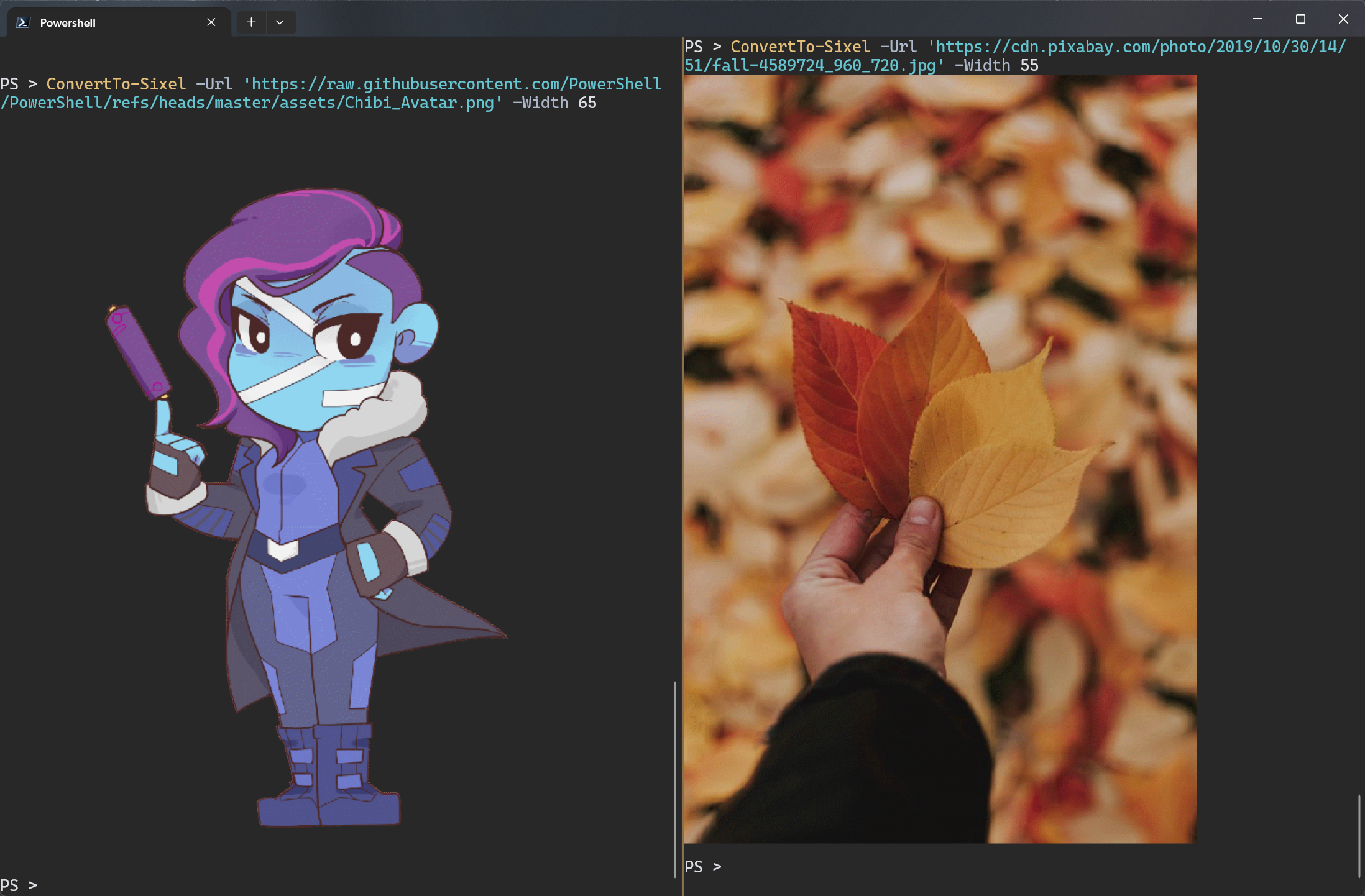
Sixel PowerShell module
Install-Module Sixel -Scope CurrentUser✔️ Windows, Mac, Linux ✔️ PowerShell 7.4+ and Windows PowerShell 5.1 ✔️ Autodetects supported protocol from the terminal. ✔️ Sixel - Gif support using ConvertTo-SixelGif. ✔️ Inline Image Protocol (iterm2, “1337”) - Supported by VSCode, xterm2, WezTerm, and others. ✔️ Kitty Graphics Protocol - Supported by Kitty terminal and WezTerm (newer versions) ✔️ Block cells - Fallback to block cells if no image protocol is supported. ✔️ Braille - Render images with braille characters.
# Examples
ConvertTo-Sixel -Path .\image.png
ConvertTo-Sixel -Url https://<site>/image.png
ConvertTo-SixelGif -Url https://<site>/animated.gifTurn your terminal into a mini art gallery by displaying images right where you code—no GUI needed! It’s like giving your console a splash of color and personality with just a few commands.
Key features:
- 🎨 Convert a wide range of image formats including bmp gif jpeg png and more
- 🚀 Supports multiple display protocols like Sixel Inline Images and Kitty Graphics
- 💻 Compatible with PowerShell 5.1 7.4 and popular terminals like Windows Terminal and VSCode
- 🧰 Includes handy examples and assets to get you started fast
This summary was generated by GitHub Copilot based on the project README.