VS Recent
A launcher for vscode that lets you select a recent folder/project to open, saving you _at least_ a few seconds per recent project open.

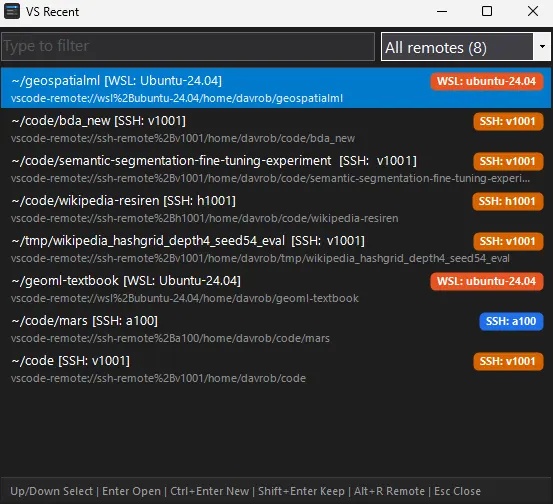
VS Recent is a simple launcher for visual studio code, that lets you jump straight into one of your recent projects (especially WSL or Remote locations) without having to first start visual studio code.
The current state-of-the-art with visual studio code is something like: start vscode, wait, ctrl-shift-p, type “recent” or similar, type first letters of project name, press enter, wait, now you are in vscode.
The really bad way is something like: start vscode, wait, click File menu with your mouse, highlight Open Recent with your mouse, click project name with your mouse, wait, now you are in vscode.
With vsrecent it is: hotkey to start vsrecent (mine is windows key + 1 as its in the first taskbar slot), instant, type first letters of project name, press enter, wait, now you are in vscode.
This is what it looks like: